
New app update
What's new in SafeSociety.
Billing, family access, improved visitor alerts, and IVR-based approval calls are now available for enabled societies.
Bills
Total Outstanding₹0.00Paid and updated
Visitor alertImprovedFamily accessAdmin approvedLedgerVisible
Household access
Calls up to 4 members
What is new
Built for real society operations.
Some features are enabled society-by-society. If you do not see a feature yet, your society may not have enabled it.
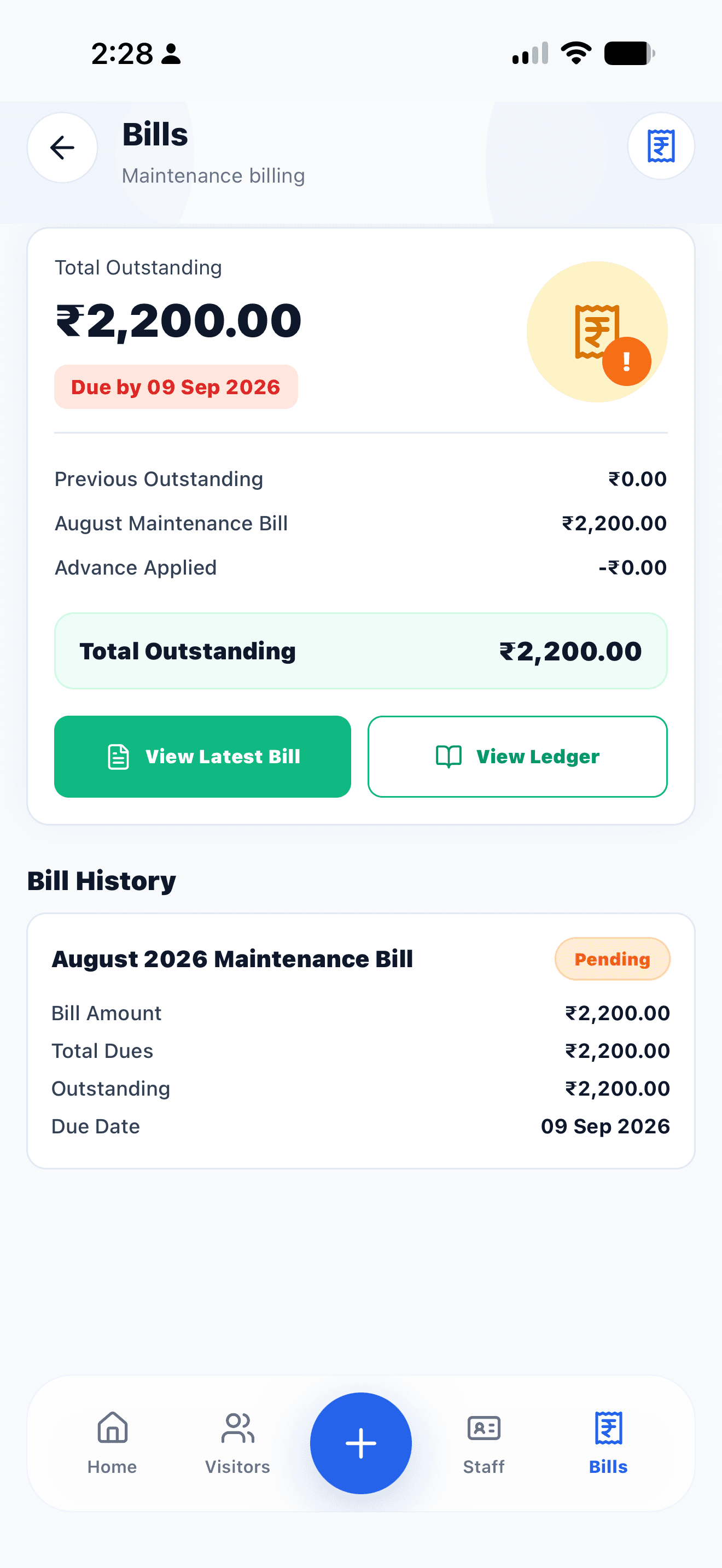
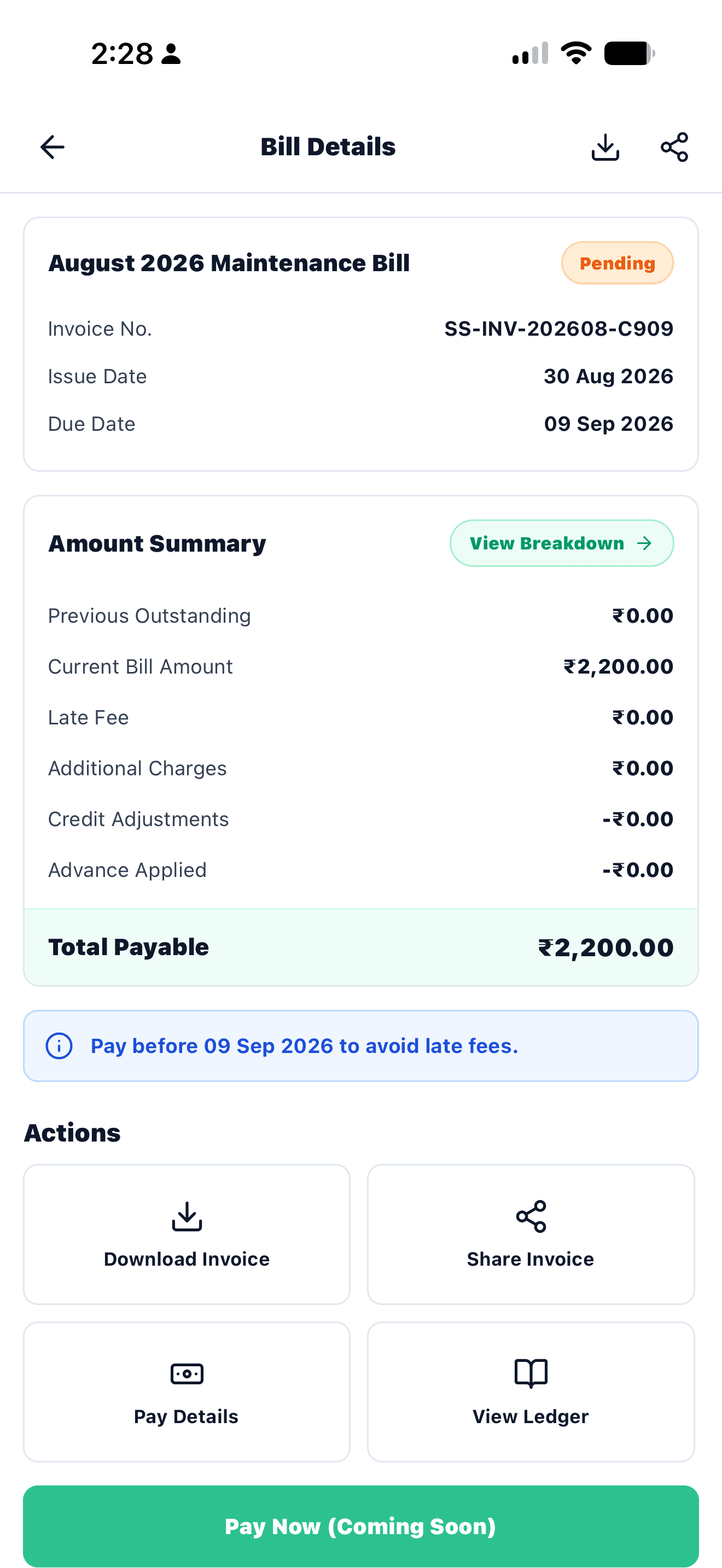
New billing module
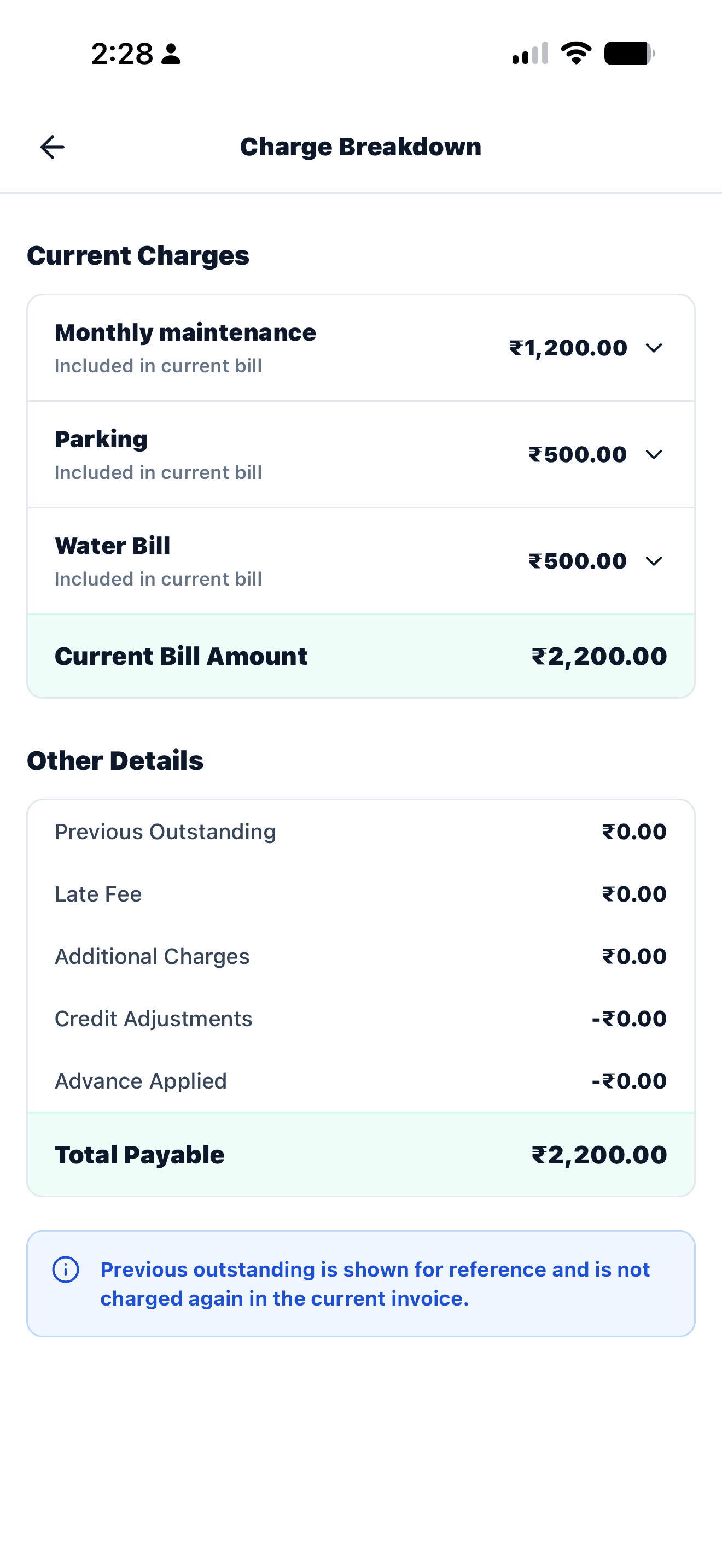
Maintenance bills are now easier to understand.
- See every charge and the total outstanding clearly.
- View bills, charge breakdown and ledger in one place.
- Generate, download and share invoices and payment receipts.
Highlighted feature
Visitor approval by phone call.
- Guard can trigger a call if app approval is missed.
- SafeSociety calls up to 4 family members one by one.
- Resident mobile numbers stay hidden from the guard.
1 Guard taps CallEnabled after 60 sec
Guard taps CallEnabled after 60 sec2Automated IVR rings residents
Resident 1First call
Resident 2+10 sec
Resident 3+10 sec
Resident 4+10 sec
3IVR options
1 Approve
2 Reject
Maintenance bills
View bills, dues, charge breakdowns, ledger and receipts in one place.
Better visitor alerts
Improved visitor approval tones help residents notice gate requests faster.
IVR approval calls
If app approval is pending, guards can trigger calls to family members one by one.
Family member access
Invite family members from profile and get access approved by society admin.
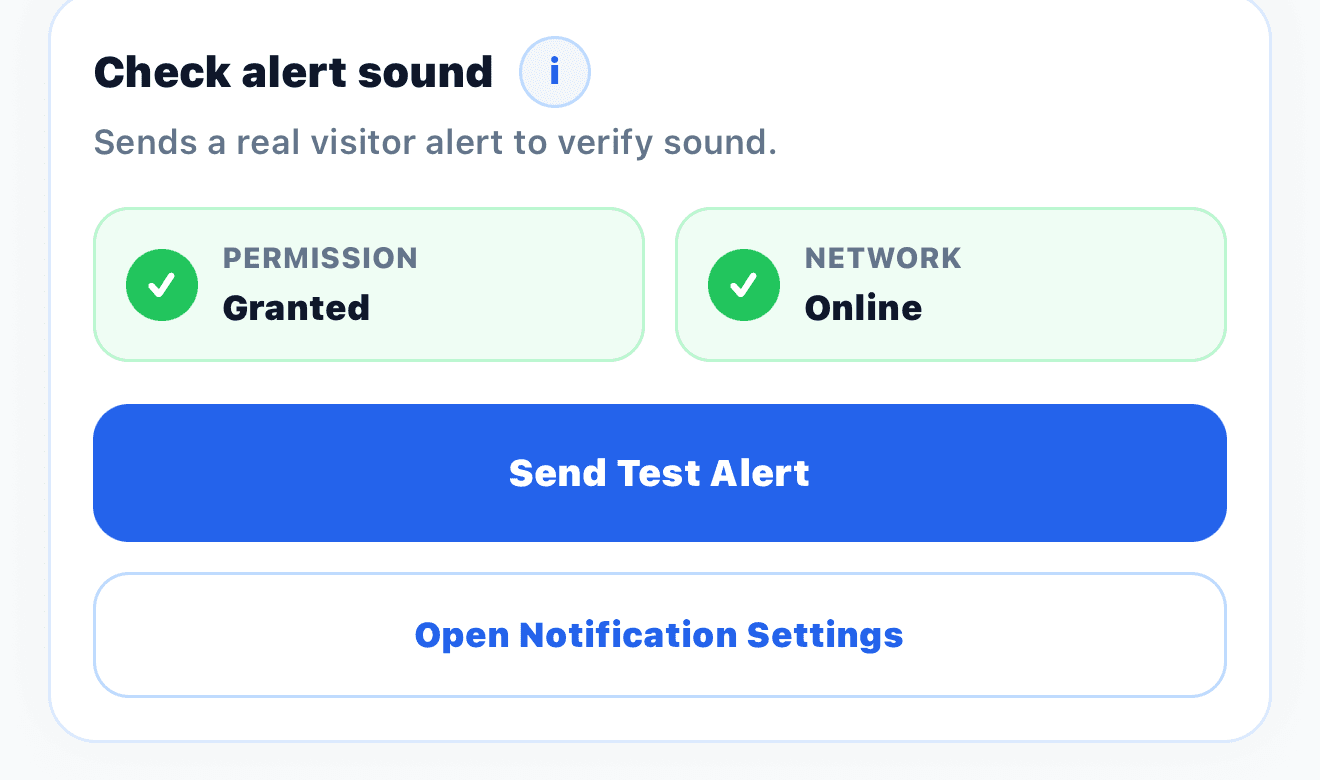
Keep alerts working
Test your visitor alert in 10 seconds.
Open Profile, then tap Check alert sound. SafeSociety sends a real test notification so you can confirm that visitor alerts and sound are working on your phone.
1. Open Profile2. Send Test Alert3. Confirm you hear it
Check alert sound
Recommended action
Please update the SafeSociety app.
Updating ensures you receive the latest visitor notification sounds, billing screens, profile improvements, and access changes.
1
Open Play Store or App Store.
2
Search for SafeSociety.
3
Update to the latest version.
4
Open the app once after updating so notifications and new settings refresh.
For society admins
Need help with rollout Enable features gradually.
Billing and IVR approval calls can be enabled based on each society's rollout readiness.